
How to Choose a Mouse for Geometry Dash Spam

Quick answer: there is no universal best mouse for Geometry Dash spam. Compare click feel, button shape, debounce behavior, polling and hand comfort on the exact model, then verify the choice with repeated tests on the same duration.
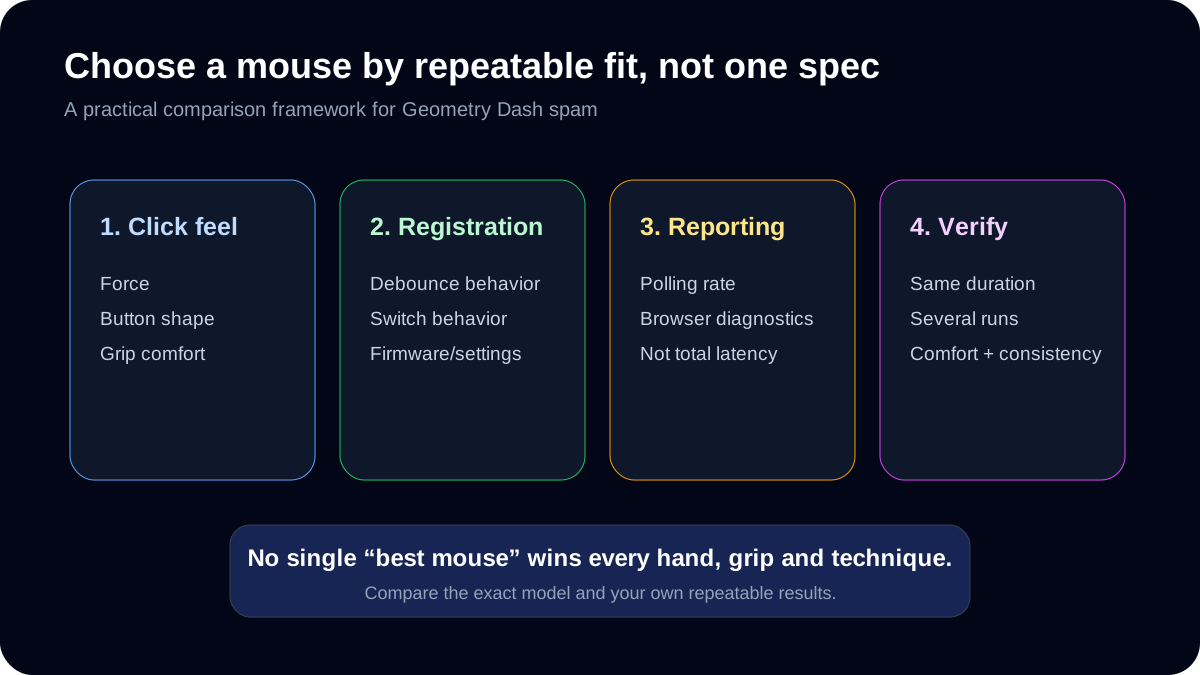
Do not shop by one latency number
Mouse click latency, debounce behavior and polling are measurable, but a product category such as “gaming mouse” does not guarantee one fixed latency. Compare independent measurements for the exact model and firmware you plan to use.
What matters for repeated inputs
- Click force and feel: a switch that feels comfortable may be easier to repeat consistently.
- Button shape: wide, stable buttons can make your preferred grip easier to reproduce.
- Debounce behavior: affects how repeated clicks are registered and filtered.
- Polling rate: changes how frequently the device can report updates, but it is only one part of end-to-end latency.
- Fit: hand size and grip style matter more than a generic “best mouse” label.
How to compare two mice yourself
- Use the same CPS Test duration on both mice.
- Run at least several comparable attempts rather than choosing the highest single score.
- Compare average CPS, interval consistency and comfort together.
- Use the Polling Rate Test as a browser-side reporting diagnostic, not as a complete latency benchmark.
- Finish with the same spam or Wave Trainer difficulty to see whether the faster result still feels controllable.
What not to use as a buying rule
One advertised latency number
End-to-end response depends on the exact model, firmware, host system and test method.
One peak CPS result
A lucky burst says less than several repeatable runs with the same settings.
A generic gaming-mouse label
Category names do not guarantee a particular switch feel, debounce implementation or fit.
Someone else's grip preference
Hand size, finger placement and clicking technique can change which shape feels controllable.
A comparison sheet before buying
Write down the exact model and firmware version for each mouse you are considering. Use the same computer, browser, 10-second CPS duration and clicking technique, then record several results. If possible, test each device in the same wave preset and note any discomfort or loss of control. A mouse that produces a single high CPS score but makes your grip less stable may be a poor choice for your actual practice.
Keep product specifications separate from observed results: an advertised polling rate is not an independent measurement of click-to-display latency. If you cannot test both mice, label that comparison as unknown rather than declaring a winner from marketing figures.
This is a reproducible selection method, not a tested product roundup. The site has not conducted controlled laboratory testing of the brands or models you may see advertised elsewhere.
Fillable decision sheet: current mouse versus candidate
Copy this table into your notes. Keep an unknown field blank instead of filling it from a different model’s review.
| Question | Current mouse | Candidate | Decision value |
|---|---|---|---|
| Exact model / firmware / connection | — | — | Makes specifications and tests attributable. |
| 10s CPS, three runs | — / — / — | — / — / — | Compute median and range separately. |
| Fixed wave preset / difficulty, three survivals | — / — / — | — / — / — | Checks whether speed remains controlled. |
| Grip / button reach with your preferred finger | — | — | A higher score does not compensate for poor reach. |
| Unwanted duplicate inputs or missed presses | — | — | Repeat an unusual result before diagnosing a switch. |
| Polling specification / browser observation | — / — | — / — | Keep the advertised value separate from observed events. |
| List eligibility for your actual target | — | — | Check method/device rules, not a generic gaming label. |
| Price and return terms you verified | — | — | Leave unknown until checked at the seller. |
How to resolve a trade-off
If a candidate increases your short CPS burst but lowers survival at the same wave setting, try the original comfortable pace before buying for “speed”. If its scores are similar but reach and grip are easier to reproduce, comfort may be the useful difference. If you only have marketing specifications and no access to the device, the performance comparison remains unknown.
These are decision examples, not measured results or endorsements of a particular product. The worksheet is designed to answer whether changing a mouse solves your own observed problem.
Ready to Test Your Skills?
Don't just read about it. Put your clicking speed and wave consistency to the test right now.
Written By
Geometry Dash Spam Editorial
Maintains the site's browser tools and source-checked training guides.