
Mobile vs PC for Geometry Dash Spam: What Actually Changes
The input path is different
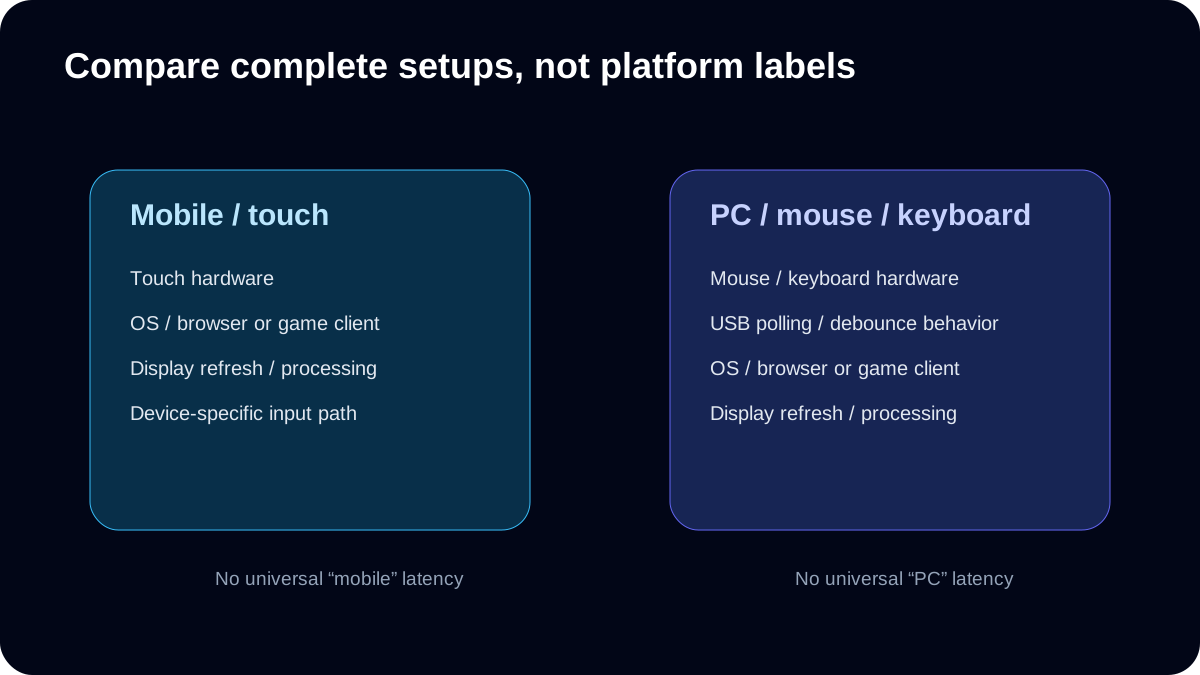
Touchscreens, mice and keyboards use different hardware and software paths. Total latency depends on the complete device, operating system, browser or game client, display and input hardware; it cannot be reduced to one universal “mobile” or “PC” number.
Refresh rate is not the same as input latency
A higher refresh rate reduces the time between display refreshes, but that frame interval is only one part of end-to-end input response. Use the Refresh Rate Test to identify the browser-observed display rate, not to claim full-system latency.
Compare your own setups
Run the same CPS Test duration on each device, then compare repeatability and comfort. For the spam simulator, use the same difficulty and wave mode so the comparison is meaningful.
A fair comparison protocol
Choose a goal first: raw click speed, stable wave practice, or in-game performance. These are different experiments. For raw speed, use the same test duration on both devices, complete three or more runs, and note whether you used a finger, mouse button or keyboard key. Do not compare a one-second touch burst with a ten-second mouse run. Also avoid mixing a desktop browser test with a recording from the official mobile game as though they used the same counting method.
For wave control, fix the preset and difficulty, then note whether you can sustain the same trajectory. An apparent change could come from screen size, posture, touch behavior or actual skill. Repeat at a different time before treating a single high score as evidence that one platform is universally better.
Which number answers which question?
| Measurement | Useful for | Cannot establish |
|---|---|---|
| CPS | Browser-registered input rate | Game-client response latency |
| Browser refresh rate | Observed animation cadence | Full touch-to-display delay |
| Polling-rate estimate | Browser-observed pointer update cadence | Guaranteed mouse switch latency |
| Wave survival | Control under a fixed practice setting | A direct official-game performance ranking |
Original exercise / comparison: same-task, repeat-run protocol for the site's browser tools.
PC input diagnostics
Use Polling Rate and Keyboard Latency as browser-side diagnostics, not as complete end-to-end latency measurements.
Display context
Use the Refresh Rate Test to identify browser-observed refresh behavior, then keep that display context fixed when comparing runs.
What actually changes between touch, mouse and keyboard?
| Input setup | Repeatable position | Press / release issue to inspect | A useful comparison |
|---|---|---|---|
| Touchscreen | Support the device and use the same touch area; keep the path visible. | Finger contact can cover the obstacle; a long contact also changes the hold duration. | Same finger and region for three CPS runs, then the same visible wave corridor. |
| Mouse | Keep the mouse still and place the same finger at the same point on the button. | Button travel and finger lift change the hold/release pattern; sliding can create unintended bursts. | Keep the technique fixed; change mouse or button in separate blocks. |
| Keyboard | Use one fixed key and support the hand consistently. | Holding a key is one press, not repeated intentional taps; OS auto-repeat is not a spam technique. | Use the 20-tap hold/release drill, then test the same binding in game. |
Separate platform from technique
Changing from a phone held in the hands to a desktop mouse changes device, screen, posture and technique together. That can answer “which complete setup works better for me?” It cannot isolate how much the touchscreen or polling rate caused the difference. Record the whole setup, use the same test length, and compare each device’s own three-run series before comparing them.
For a touch result that looks fast but loses the wave, first move the contact area away from the path and shorten long holds. For keyboard tapping, inspect the separate hold and release samples. The site does not provide controlled measurements proving one platform universally faster.
Ready to Test Your Skills?
Don't just read about it. Put your clicking speed and wave consistency to the test right now.
Written By
Geometry Dash Spam Editorial
Maintains the site's browser tools and source-checked training guides.